
In one of our previous blogs, we learned the basics of how draft is enabled in a managed RAP application. If you have not gone through it yet, I strongly recommend reading it first, as this blog builds directly on those concepts.
You can find it here: Enabling Draft in a RAP App.
In another recent blog, we built a managed RAP Billing Document application using CDS Table Entities instead of classic DDIC tables.
In this blog, we will combine both topics and see how draft can be enabled for a managed RAP app that is built on top of CDS Table Entities.
Draft Enablement with CDS Table Entities
As we know, to handle the draft state for any RAP entity, we need a draft persistence table. In classic RAP scenarios, this is usually handled by a separate draft table extended with draft related fields.
However, in our current scenario, the persistence layer is a CDS Table Entity, not a classic database table. Naturally, we would expect a new syntax in the behavior definition that allows draft persistence to be handled directly by the table entity itself.
Unfortunately, such a syntax is not available as of today.
Another important limitation is that CDS Table Entities do not support extensions. This means we cannot include, append, or extend the entity with draft-related fields.
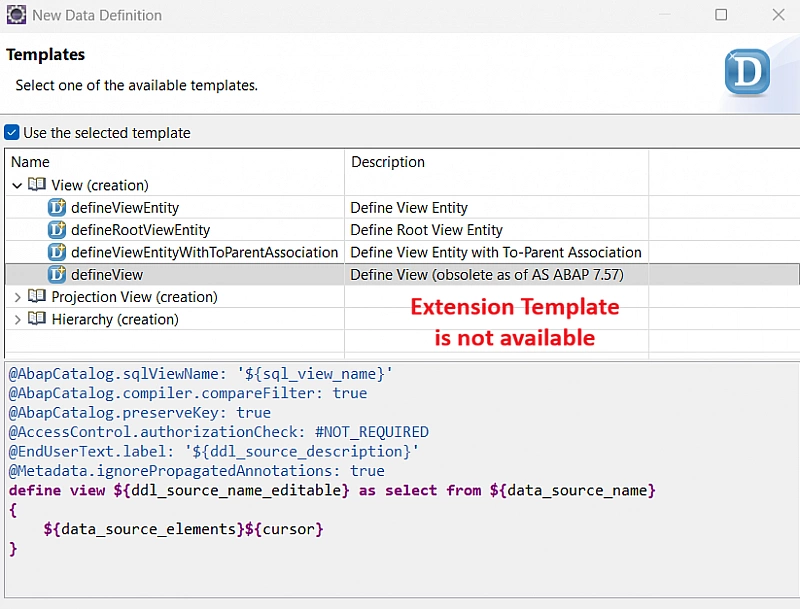
Because of these limitations, we have to rely on the existing draft enablement approach, where explicit draft tables are defined and referenced in the behavior definition.
Enabling Draft in Behavior Definition
Update the behavior definition of the Billing Document application by enabling draft using the following syntax -
managed implementation in class zsac_cl_bp_billing_header unique;
strict ( 2 );
with draft;

define behavior for zsac_r_billing_header alias BillingDocumentHeader
lock master total etag lastchangedat
draft table zsac_d_billhead
authorization master ( instance )
{
  create ( authorization : global );
  update;
  delete;

  draft action Edit;
  draft action Activate;
  draft action Discard;
  draft action Resume;
  draft determine action Prepare;

  field ( readonly ) createdat, createdby, lastchangedby, lastchangedat, locallastchangedat;
  association _BillingDocumentItem { create; with draft; }
}

define behavior for zsac_i_billing_item alias BillingDocumentItem
lock dependent by _BillingDocumentHeader
draft table zsac_d_billitem
authorization dependent by _BillingDocumentHeader
{
  update;
  delete;
  field ( readonly ) bill_id, createdat, createdby, lastchangedby, lastchangedat, locallastchangedat;
  association _BillingDocumentHeader;
}
Enabling Draft in Behavior Projection
Next, update the behavior projection to expose the draft capabilities.
projection;
strict ( 2 );
use draft;

define behavior for zsac_c_billing_header alias BillingDocumentHeader
{
  use create;
  use update;
  use delete;

  use action Edit;
  use action Activate;
  use action Resume;
  use action Discard;
  use action Prepare;

  use association _BillingDocumentItem { create; with draft; }
}

define behavior for zsac_c_billing_item alias BillingDocumentItem
{
  use update;
  use delete;

  use association _BillingDocumentHeader { with draft; }
}
Creating Draft Tables
At this point, you might notice that we have not created the draft tables yet.
Before activating the behavior definition, ADT will offer quick fixes to generate the required draft tables. Based on my observation, the quick fix starts from the bottom entity.
So, first:
-
Use the quick fix to create and activate the Billing Document Item draft table.
-
Then, use the quick fix to create and activate the Billing Document Header draft table.
-
Once both draft tables are created and activated, activate the behavior definition.
-
Finally, activate the behavior projection.
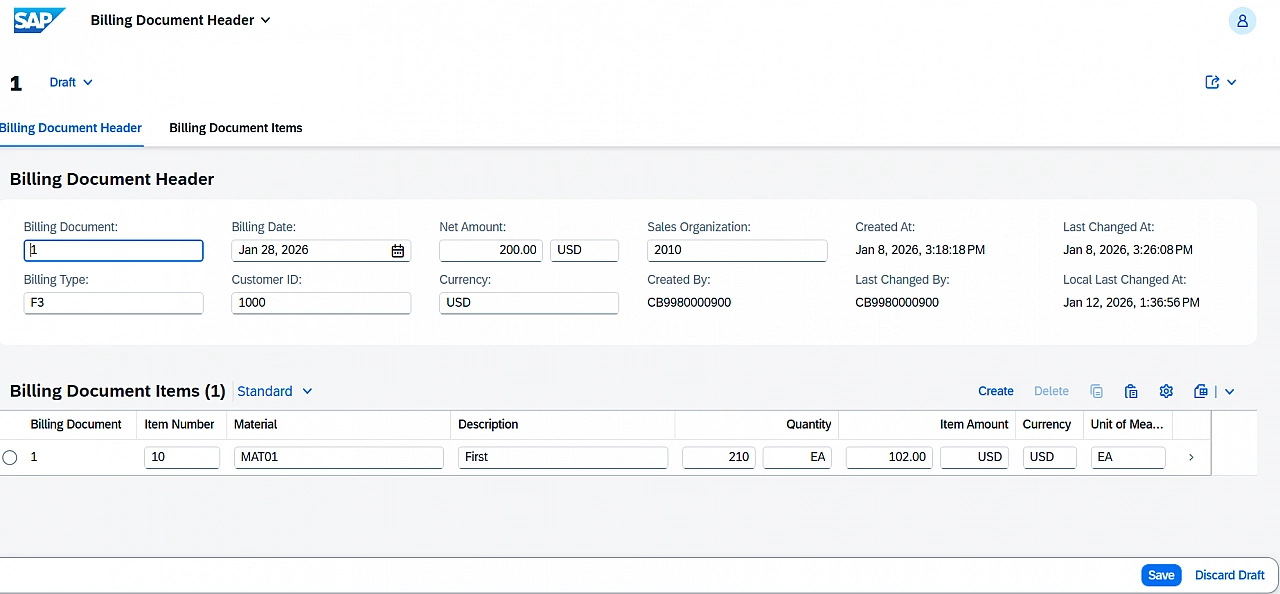
After completing these steps, the application is fully draft-enabled.
Conclusion
We are now ready to test the application with draft functionality enabled, even though the persistence layer is based on CDS Table Entities.
I would suggest creating a service binding with OData V4 for this application and testing it. The app behaves no differently than a usual draft-enabled RAP application.
This approach works today, but it also highlights the current gaps in CDS Table Entity support when it comes to draft handling. As CDS Table Entities continue to evolve, we can expect more native and streamlined draft support in future releases.